







Give your customers more options...
Everything you need to turn product exploration into successful sales
Structure your products
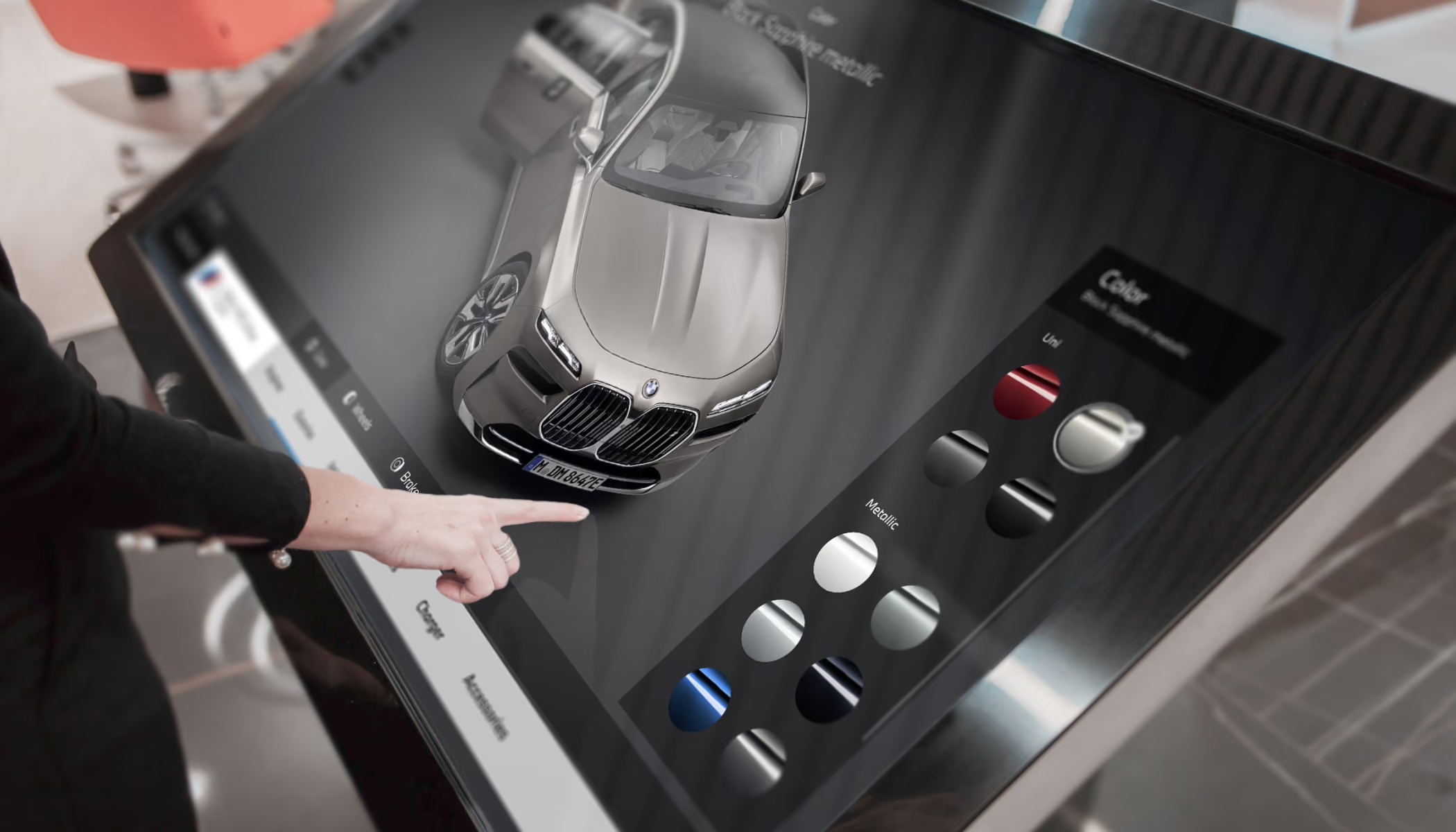
Create Product Catalogs with Detailed Filtering
Organize models and configurations into convenient digital catalogs with detailed, easy-to-use filtering. Customers can quickly find the right option from a large selection and start customizing it right away

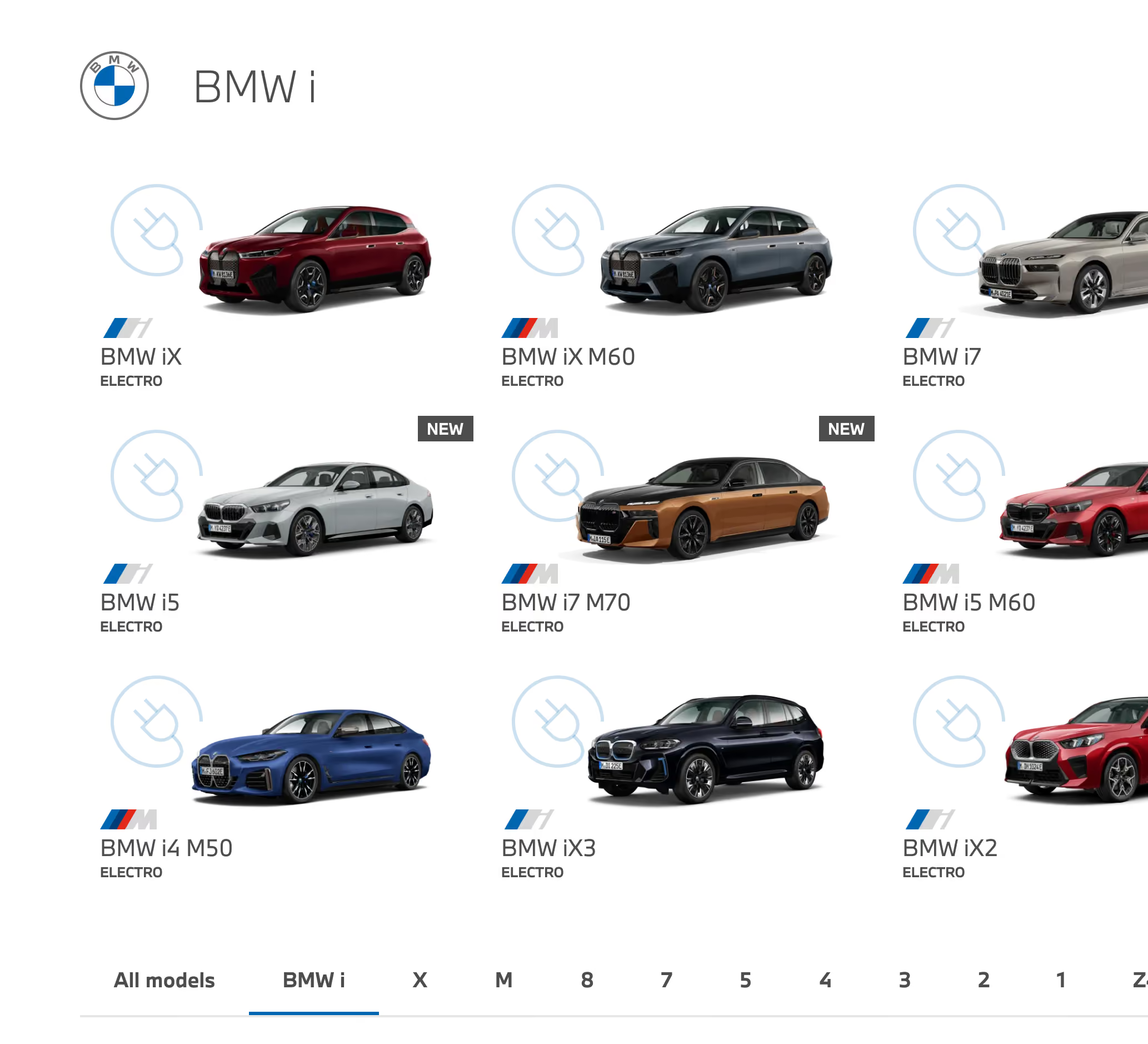
Exterior Overview
Explore the vehicle from all angles and appreciate how various design elements affect its appearance. Choose color, wheels, body parts, lighting, trim, and other exterior options to create a configuration that suits your preferences
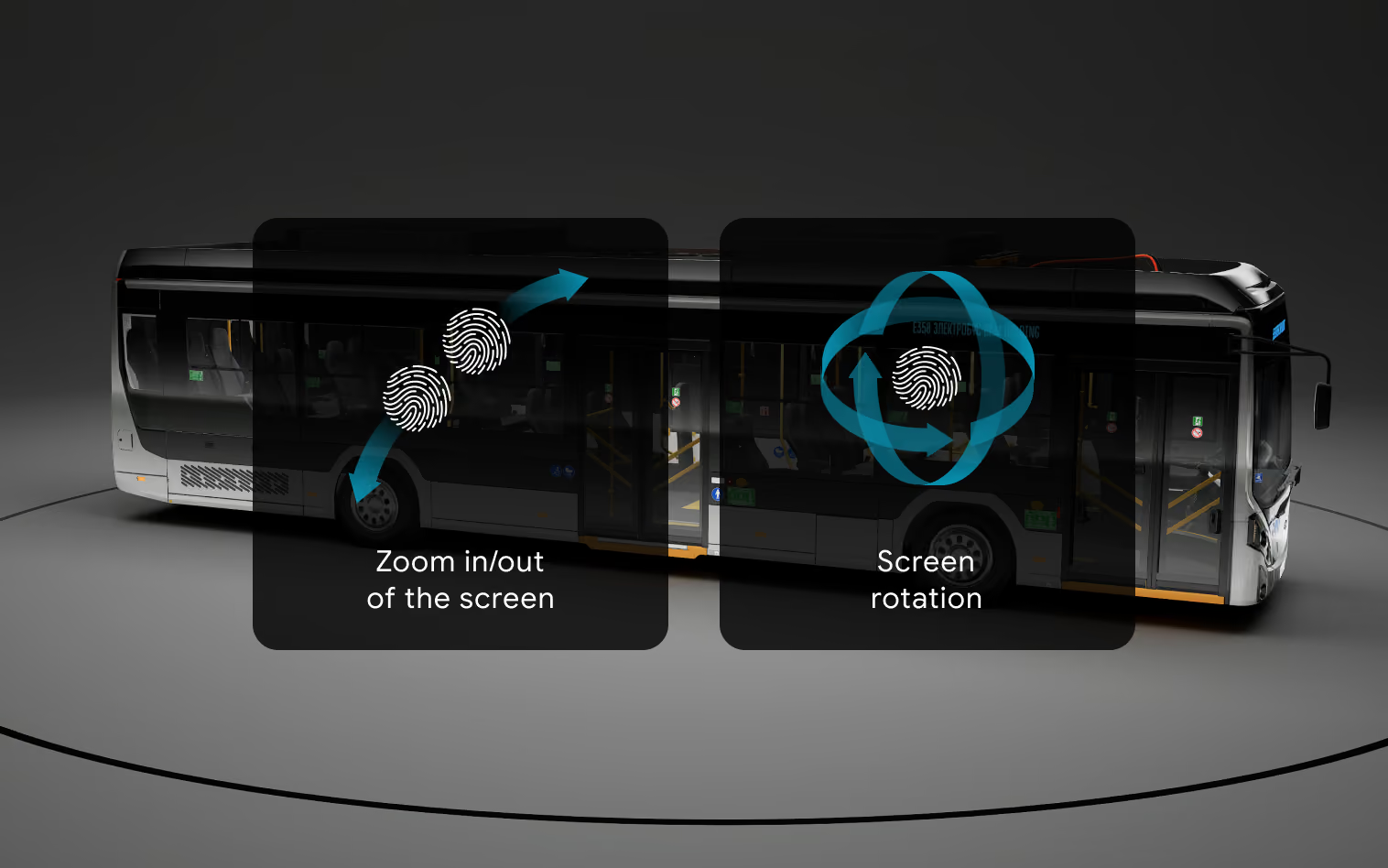
Interior Overview
Discover the interior in detail and create a space tailored to your needs and preferences. Customize the upholstery, materials, colors, dashboard, seating, equipment, and other interior elements to visualize the complete configuration
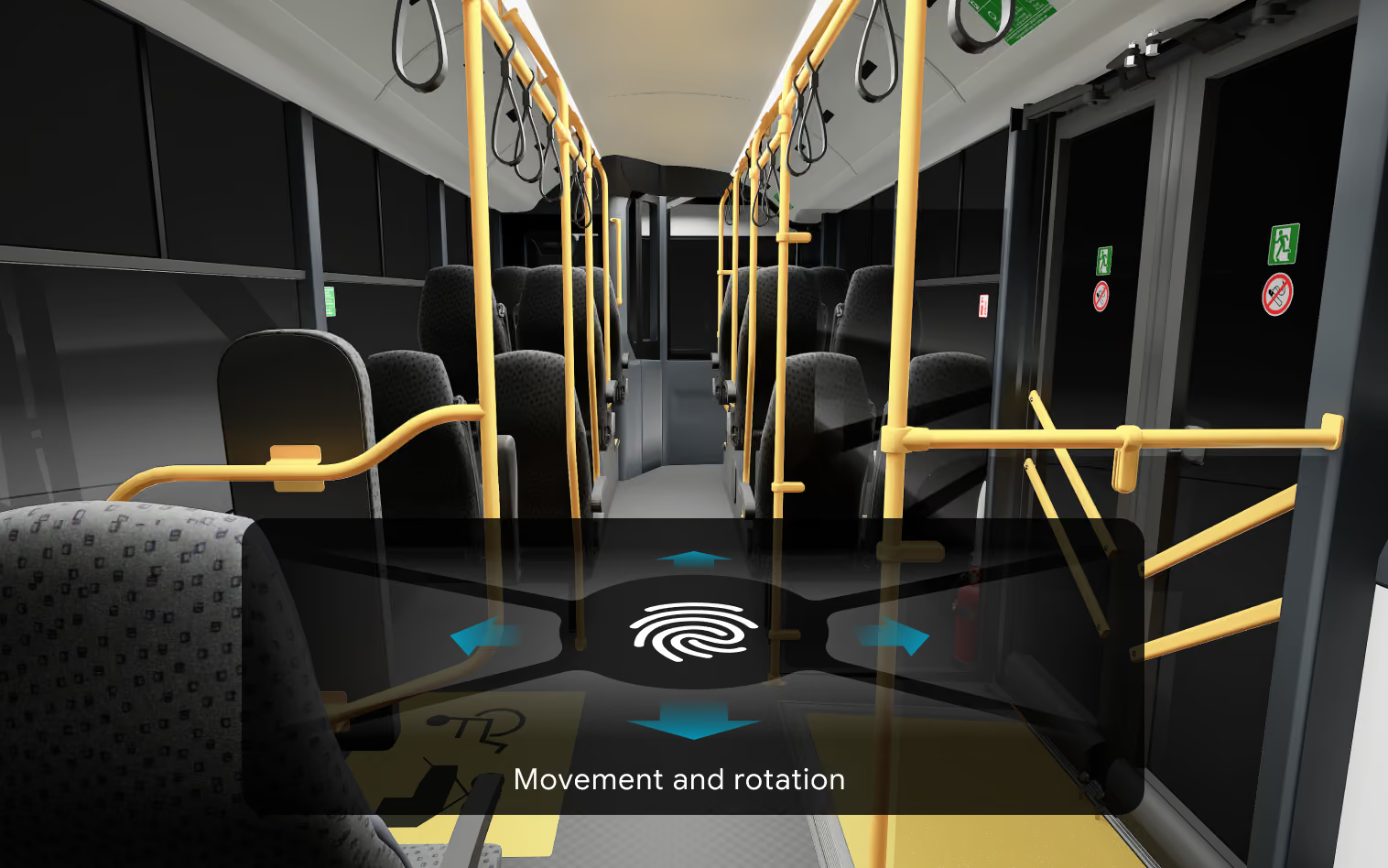
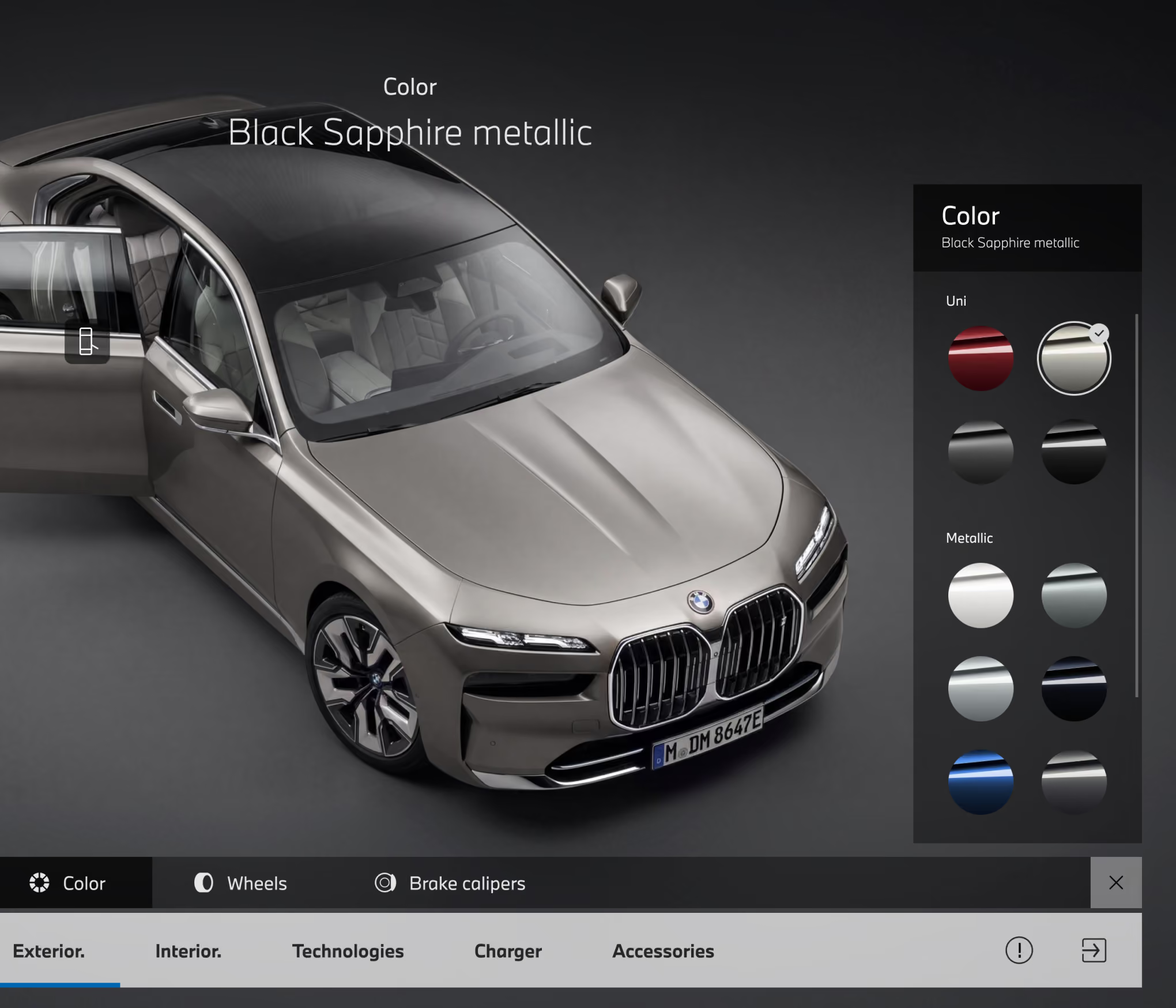
Configure Colors & Materials
Choose the body color, interior finishes, materials, and decorative elements to create a unique product configuration. Real-time interactive visualization lets customers instantly see how their choices work together, compare alternatives, and make a confident purchase decision

Real-time visualization
Accurate material representation
Compatible combinations
Component Customization
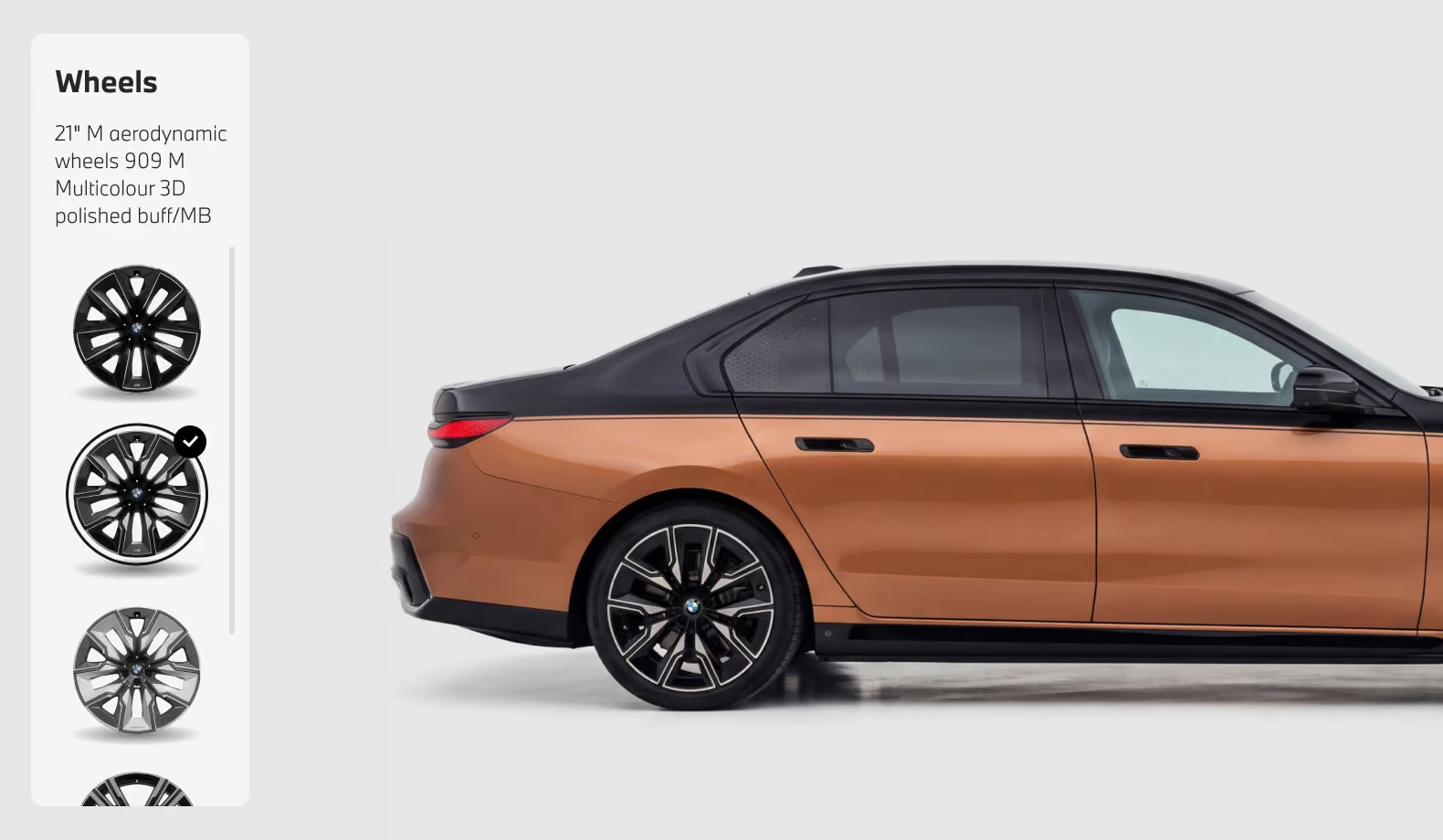
This interactive mode allows users to customize the product’s appearance and equipment by selecting different wheels, bumpers, body components, lighting elements, trim details, and other parts. Changes are displayed instantly on the 3D model, making it easy to compare available configuration options
Reveal the Power Within
Engine & Power Systems Mode
Interactive visualization of the engine and power systems enables customers to explore the product’s key technical components in detail. Users can examine the placement of the engine, transmission, battery modules, cooling systems, and other components, switch between viewing modes, and access specifications for every element


Mechanisms
in Motion
Interactive animations demonstrate the operating principles and motion sequence of key mechanisms in real time. Users can observe the movement of components, rotation of assemblies, transmission of force, and interaction between parts
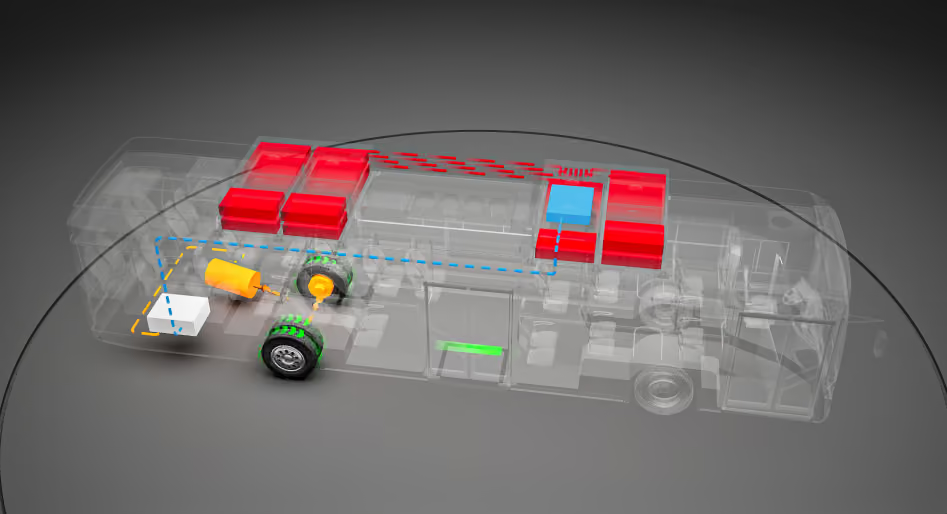
Consumption mode

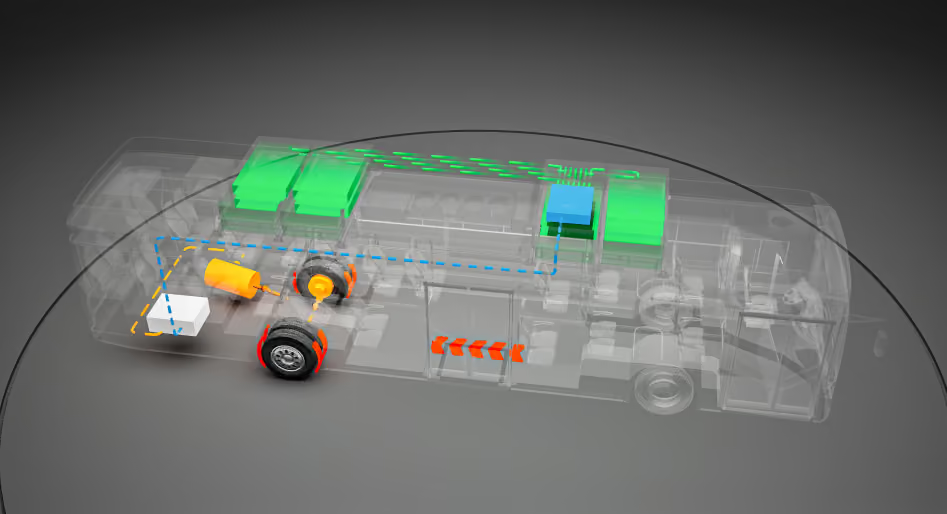
Recovery mode
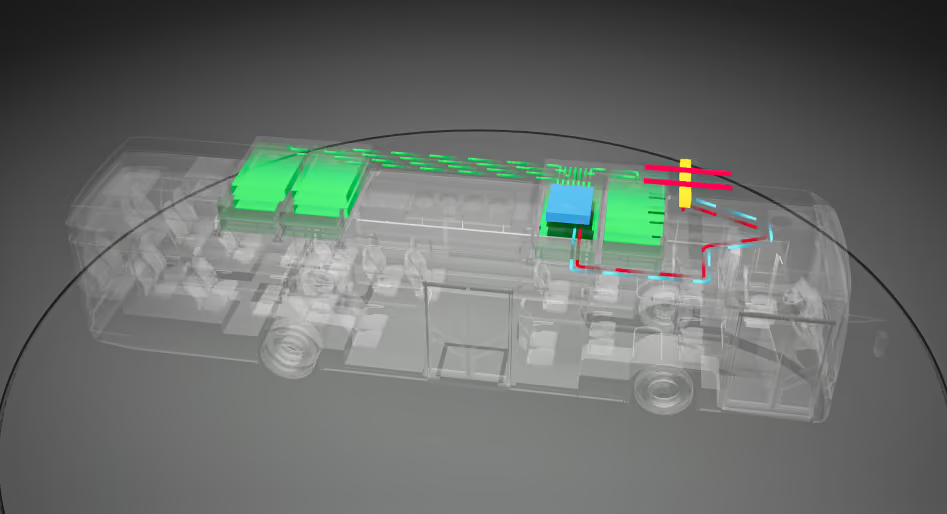
Fast charging mode
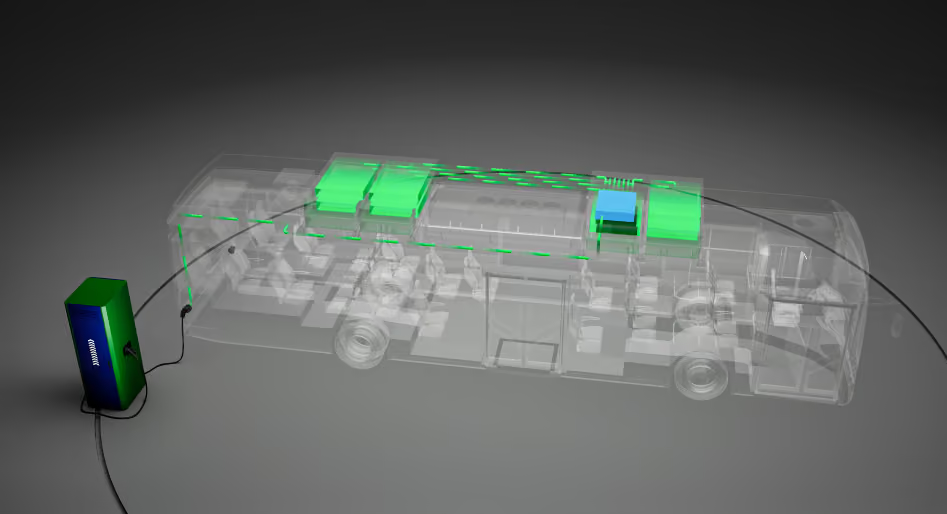
Night Charging
Engine & Energy System Operating Modes
A clear interactive diagram illustrates how energy flows between the engine, battery, drivetrain, and vehicle systems across different operating modes. Users can switch between driving scenarios and see power consumption, charging, regenerative braking, and energy distribution in real time
Interactive System Visualization
Visualize how product components and integrated systems operate and interact within a single interactive environment. Explore their functionality, connections, and responses to different operating scenarios
Explore Different Environments
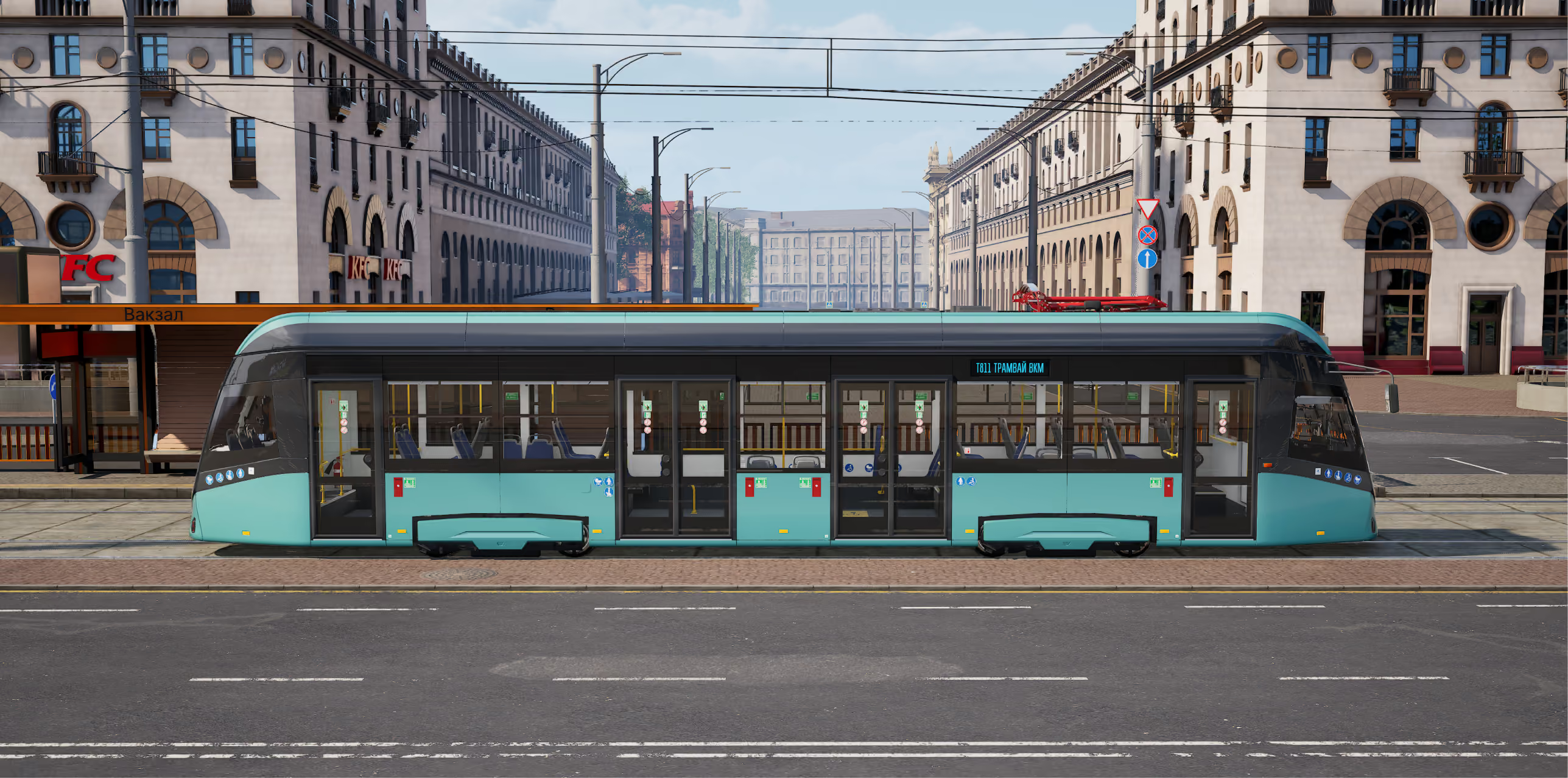
The interactive mode allows users to customize the environment around the product, including the background, lighting, time of day, weather conditions, and surface type. Users can select different scenarios and evaluate the product’s appearance in urban, highway, off-road, studio, and other operating environments
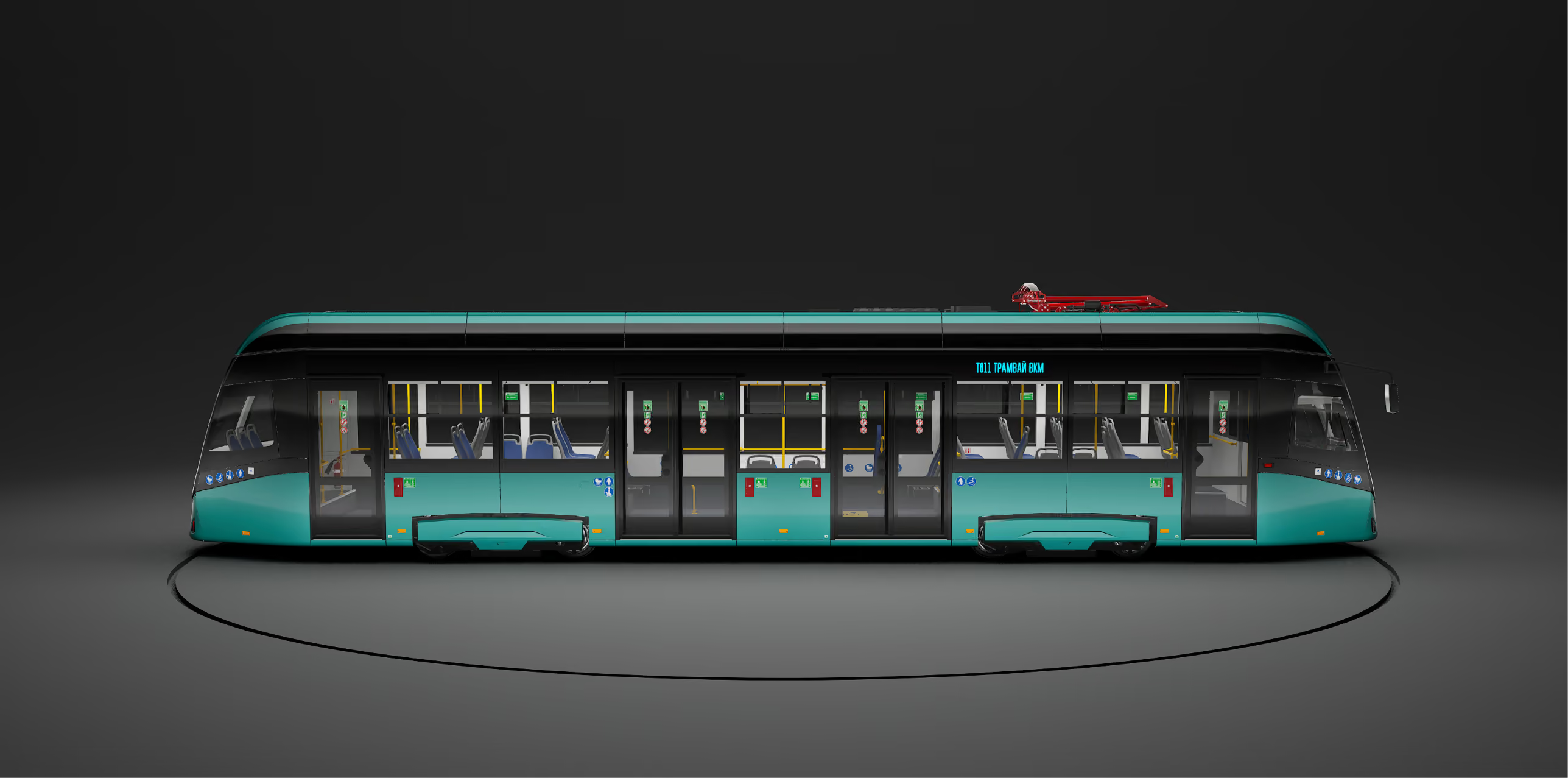

Studio
City
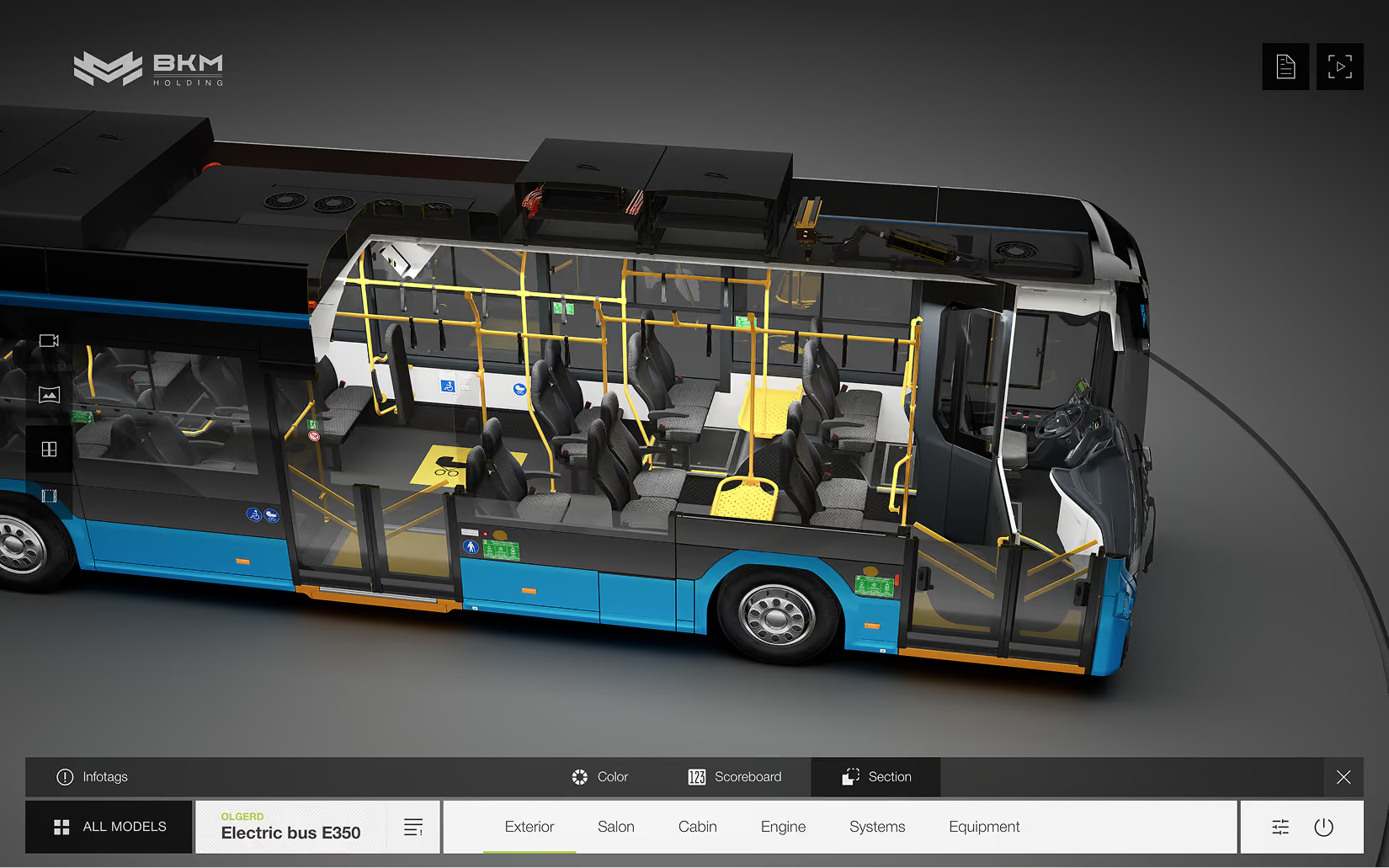
Displaying Cuts & Sections
Use interactive cutaways and cross-sections to clearly demonstrate the product’s internal structure, key systems, materials, and concealed functional areas
Technology That Drives Results
Advantages That Drive Commercial Growth
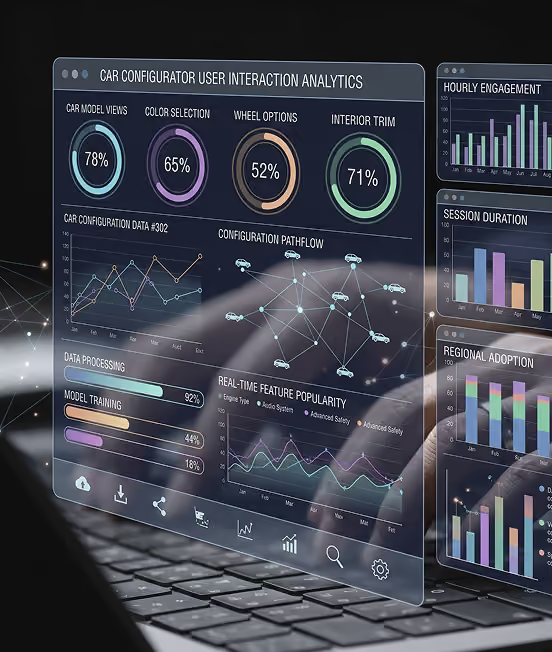
User Interaction Analytics
Analysis of user activity, including viewed models, selected configurations, preferred options, session duration, and key interaction stages

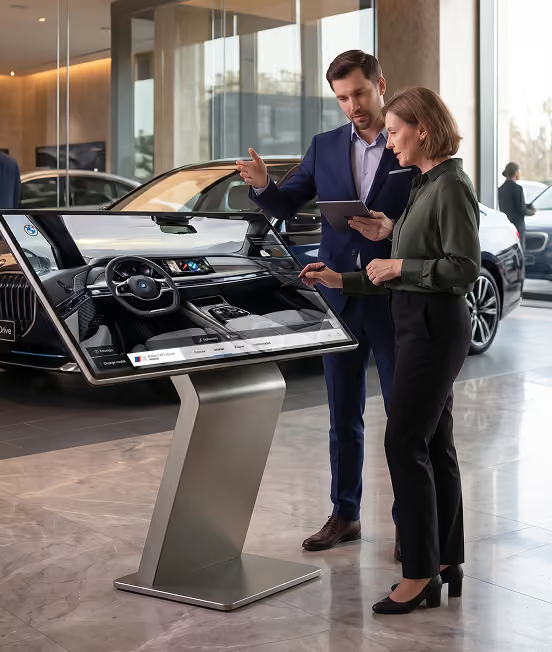
Personal account for managers and clients
Personal accounts with access to saved configurations, commercial quotes, interaction history, and deal status

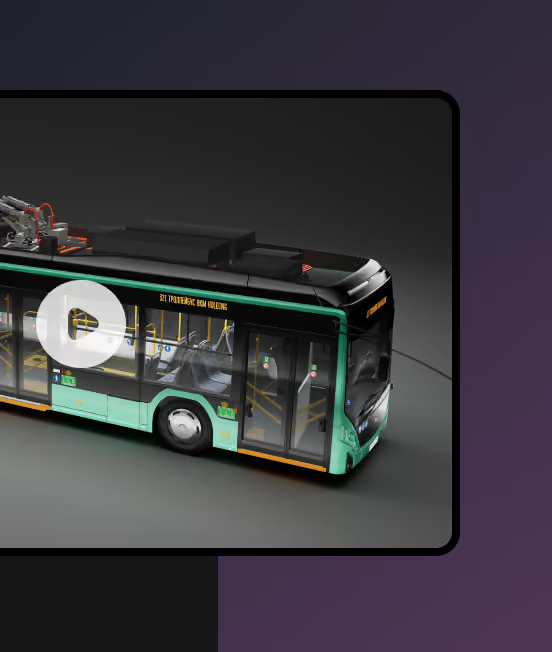
Product presentation mode
A looping video presentation of the product in the selected configuration for automated demonstrations in showrooms, exhibitions, and presentation areas


Corporate-Style UI Design
A fully customizable interface aligned with the company’s brand identity, including logos, colors, typography, visual elements, and product presentation structure

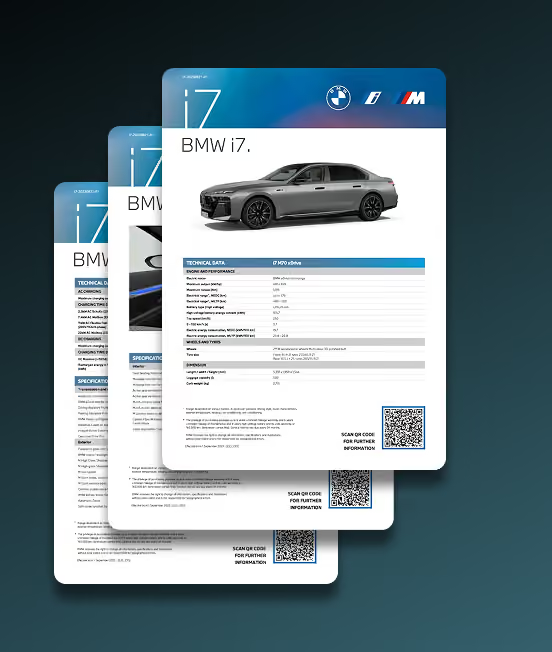
Quote & Marketing Material Generation
Automatic generation of personalized quotes, presentations, specifications, and marketing materials based on the selected product configuration


CRM & ERP Integration
Customer data, selected configurations, and user activity can be automatically transferred to the CRM system. Managers receive notifications about new inquiries and can track subsequent customer interactions

Products You Can Customize
An interactive configurator can be used across a wide range of industries and adapted to the specific characteristics of each product and business process. For each industry, our development team can create specialized application features. This approach transforms the configurator into a flexible digital tool fully aligned with the company’s objectives and its customers’ needs.
One Tool for Every Customer Interaction
Application Use Cases
The interactive application supports different customer engagement scenarios — from independent product exploration to personalized consultations with a sales manager. It can be used both online and offline, providing a consistent visual and user experience across all sales channels
Sales Showrooms
In sales showrooms, the application helps managers deliver personalized presentations, quickly select configurations based on customer needs, and clearly demonstrate available options

Presentations & Events
The application helps create engaging presentations and interactive experiences for business events, client meetings, press previews, and corporate gatherings

Websites
The web-based configurator allows customers to explore the product, select parameters, and create a personalized configuration directly on the company’s website

Exhibitions
The interactive configurator attracts visitors’ attention, presents the product clearly, and demonstrates different configuration options even when exhibition space is limited

Design & Engineering
The application helps visualize design solutions, compare different options, and approve product configurations at the early stages of development and engineering

Marketing Materials
Visualizations and video presentations created in the configurator can be used in catalogs, presentations, advertising campaigns, social media, and other marketing materials
Learn all about the capabilities of the ConfigTech® solution in 1 minute
We help our clients solve both current and future problems in advance...


Interactive Configurators Deliver Measurable Results
Real-world results of interactive solution implementations based on publicly available data
Source: ABB & Infosys
6M 🠢 weeks
The product configuration-to-manufacturing cycle was reduced from six months to just a few weeks. The pilot also achieved zero order errors
Source: Audi
+66%
User engagement increased by 66% after the introduction of a real-time 3D vehicle configurator. The solution also led to a 9% increase in the selection of additional vehicle features
Source: NORD Drivesystems
4× faster
The implementation of a centralized product configurator made quote generation up to four times faster across global sales channels and reduced configuration errors
Source: A-dec
−60%
The 3D configurator reduced the time required to customize dental equipment by up to 60%, making the configuration process faster and easier for customers
Interactive content

More engagement
More qualified leads
Faster sales
Key benefits of interactive solutions
Interactive configurators accelerate quoting, reduce errors, save time, and create more engaging customer experiences


Reduced by
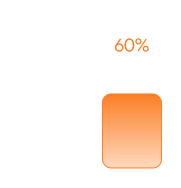
-60%
Time Savings
Guided configuration makes it easier for customers and employees to customize complex products. Automated workflows reduce the time required for design, validation, and communication between departments

-76%
cycle

-89%
Redesign

Faster
4×
Faster quoting
Interactive configurators automate product selection, pricing, and proposal preparation. This helps sales teams generate accurate quotes faster and reduce the time spent on manual calculations
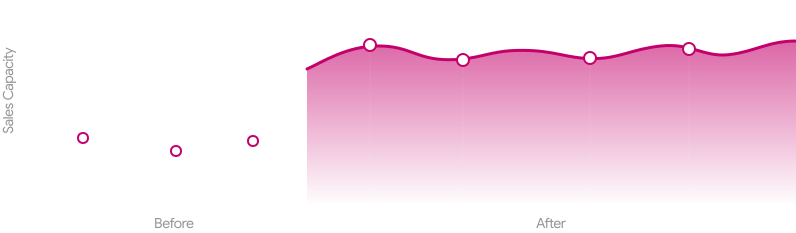

Errors
0
Higher Accuracy
Built-in configuration rules prevent incompatible options, pricing mistakes, and incorrect product selections. As a result, companies can reduce order errors and improve the reliability of quotes and specifications


Higher Engagement
+66%
Customer engagement
Interactive 3D experiences allow customers to explore products, compare options, and visualize the final result in real time. This increases engagement and helps customers make purchase decisions with greater confidence
Data is based on open sources and ConfigTech® analytics. For reference only


Your company's
ecosystem
ecosystem
Integration into your digital ecosystem
The application can function as a separate presentation product or as part of a unified digital infrastructure of the project
Seamless CRM Integration
Automatically sync leads, orders, and customer preferences directly with your CRM system for immediate interaction with your sales team
Data synchronization
Real-time synchronization keeps product availability, pricing, specifications, and configuration options up to date. Clients and the sales department always see up-to-date information
Smart Notifications
Automated alerts for configuration changes and key customer actions help your team respond instantly to every sales opportunity
Analytics & Tracking
Full support for web analytics tools. Track which products, options, and configurations attract the most customer interest
Compatibility with Design and Engineering systems
Seamlessly integrate the configurator with your design and engineering systems to keep product specifications, configurations, and technical data consistent across all platforms
Unified API for External Platforms
Connect the configurator to CRMs, websites, e-commerce platforms, and other business systems through one unified API
CMS Content Management
Update product visuals, promotions, and special offers through your website’s familiar admin panel without developer assistance, while keeping product details, availability, pricing, and configuration options synchronized across every digital channel in real time
Integration with leading CRM systems for manufacturers and dealers

















Supported Output Devices
Discover a new level of interaction with content that blurs the boundaries between the digital and physical worlds

4K touch panels
Create a "wow factor" in your sales gallery. Crystal-clear 4K resolution and instant touch response allow clients to explore every detail of the project, literally touching their future home

Laptops and PCs
Leverage the full power of desktop solutions for high-performance presentations. The app is optimized for both web browsers and standalone software, ensuring fluid graphics and high-fidelity visuals

Mobile devices
Keep your project right in your pocket. Support for smartphones and tablets (iOS & Android) enables on-the-go demos and lets clients take a virtual model of the building home with them

VR devices
Provide a fully immersive experience. With VR headset support, buyers can take a virtual tour of the apartment, assess the layout, and view from the window in real-life size




















Technology Stack
Powerful technologies for flawless visualization and high-performance digital projects
Choose a convenient immersion format
Use the lightweight web version for a quick introduction or unlock the full graphics potential of the Unreal Engine app
ConfigTech®
web
Web version for access anywhere and anytime
ConfigTech®
app
Local version for perfect interaction
ConfigTech®
stream
High-end visuals with instant web access
Technologies used
HTML5, CSS3, JavaScript, React.js, GSAP, Three.js, Laravel, Node.js, MySQL, Lottie

Unreal Engine, C++, Blueprints
Unreal Engine, C++, Blueprints, WebRTC, Node.js, JavaScript, GPU Cloud
Availability of internet connection


High-quality detailed visualization

Modern PC with a powerful graphics card
Embed in website
Third-party payments
Use of VR technologies
CRM & ERP integration

Use on mobile devices
Functional capabilities
Product catalogs
Catalog filtering
Color & Materials configuration
Component customization
Exterior overview
Interior overview
Interactive infotags
Animations
Engine & Power systems Mode
Interactive system visualizations
Cuts & Sections
Change of environment
Time & Weather change
Analytics
Personal account
Generating offers
Branding UI
Presentation mode

Yes
No
Yes, high-speed Internet
Depending on internet speed
Yes, with limitations
Frequently Asked Questions
We help our clients solve both current and future problems in advance...
What is ConfigTech, and what does it do?

ConfigTech is an interactive 3D configurator for vehicles and products. It lets users explore products, compare options, and see configuration changes instantly. This helps customers make more confident purchase decisions and enables sales teams to demonstrate product features and prepare quotes.
What types of products can be configured?
The solution can be adapted for cars, yachts, aircraft, specialty vehicles, industrial and medical equipment, furniture, electronics, and other product categories. Features and configuration rules are tailored to the product and the company’s business processes.
What can customers customize and explore?
Customers can select colors, materials, components, equipment, and optional features, as well as explore exterior and interior views. Interactive information tags, animations, and cutaways explain technical details, while changes to the environment, lighting, time of day, and weather show the product in different settings. The feature set is tailored to each project.
Can users save configurations and automatically generate quotes?
Yes. Personal accounts give customers and sales managers access to saved configurations, quotes, interaction history, and deal statuses. Selected configurations can be used to automatically generate personalized quotes, specifications, presentations, and marketing materials.
Can the interface match our brand identity?
Yes. The interface can be customized to match your logo, colors, typography, visual elements, and product presentation structure. With CMS integration, your team can update visuals, promotions, and special offers through the admin panel without developer assistance.
How does implementation work, and what determines the timeline and cost?
We first define the goals, functional requirements, platforms, and integrations, then agree on the scope, budget, and timeline. Delivery includes design, 3D content creation, development, testing, integration, and launch with staff training. Post-launch support and further development are also available. To discuss your project, contact sales@aperex.com.
Where can I download the app?
Each project is custom-built to meet the specific requirements of the developer. Depending on your needs, the finished product can be delivered as a direct web link, an iframe embed code for your website, or a downloadable installation file. We can also provide the software on a physical drive (USB flash drive) or perform the installation on your hardware personally—either on-site or via remote access. The method depends on the selected application format
Is it possible to develop custom features that are not included in the base version?
Absolutely. Our platform is fully scalable, allowing us to implement unique functionality tailored to your business goals. Whether you need CRM integration, smart home modules, or bespoke 3D visualization tools, we can develop and integrate additional features upon request. All custom requirements are discussed and evaluated during the technical specification (TS) phase
We are in geography
Our projects operate all over the world!
We proactively address challenges, ensuring seamless solutions for our global clientele
Dubai, UAE
Amsterdam, Netherlands
Warsaw, Poland
Minsk, Belarus
Moscow, Russia
Los Angeles, USA
Toronto, Canada
New York, USA
Astana, Kazakhstan

Get started with a free consultation
What are the next steps?
1
Following a thorough analysis of your requirements, a specialist will contact you
2
We are prepared to sign a Non-Disclosure Agreement to ensure the highest level of privacy, if necessary
3
We will provide you with a full commercial offer indicating the terms and cost
4
If the terms of the commercial offer suit you, we sign all the necessary documents and begin working on your project
* mandatory fields
Oops! Something went wrong while submitting the form.
Schedule a meeting
Let’s schedule a meeting at your convenience. We will present our solution and discuss your new project in detail. Feel free to choose the meeting duration that works best for you
We provide consultations in English, German, Russian, Spanish, Arabic, Polish, and Chinese